 Christmas Mega Sale – Enjoy Up to 50% OFF on Every Plan!
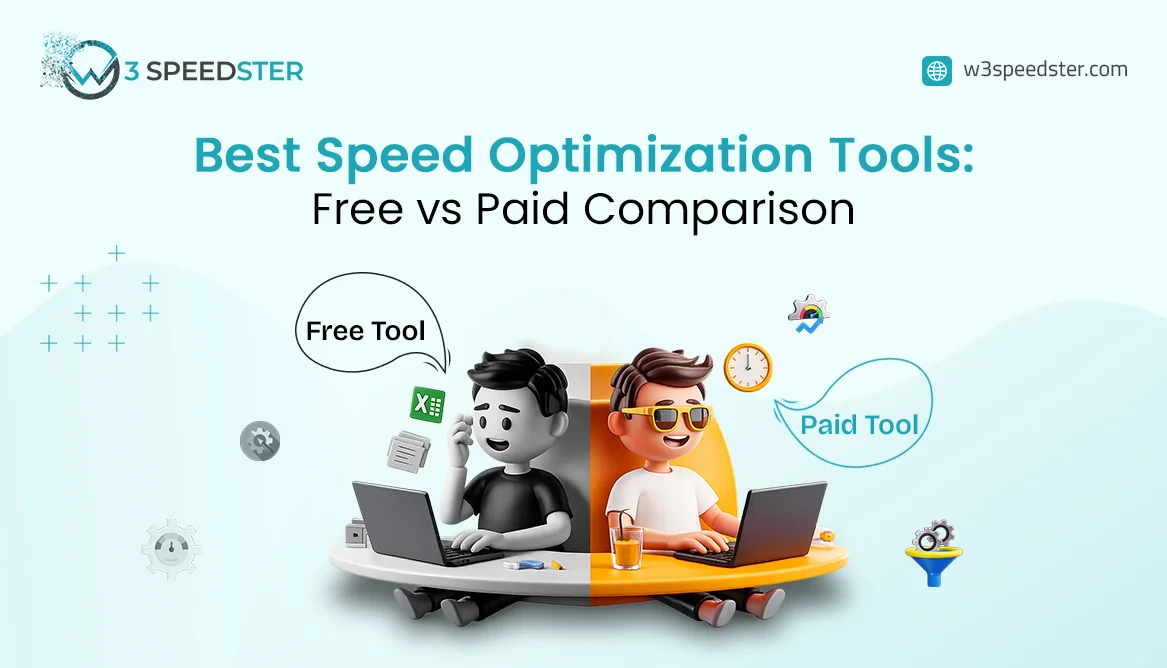
Website speed plays a major role in user experience, SEO rankings, and conversions. A slow website can increase bounce rates and reduce customer engagement. That’s why businesses and website owners rely on speed optimization tools to improve performance. The Free vs Paid Speed Optimization Tools guide will analyze both speed optimization tools while presenting their advantages and disadvantages, which will assist you in selecting the optimal choice for your website.
Why Website Speed Optimization Matters
A fast website creates a better experience for users and helps search engines rank your pages higher. Speed optimization tools help identify issues like:
- Large image files
- Slow-loading scripts
- Unused CSS or JavaScript
- Poor caching setup
The correct website performance tools enable you to achieve three specific goals, which include improving page speed and decreasing loading time while your business gains more customers and your website performs better on mobile devices.
What Are Free Website Speed Tools?
The term “free website speed tools” refers to tools that give users the ability to test their website performance without any cost.
The following tools serve as popular free options for testing website speed:
- Google PageSpeed Insights
- GTmetrix (Free Version)
- Pingdom Website Speed Test
- Lighthouse
The tools function as suitable options for both novice users and websites of limited size.
Benefits of Free Website Speed Tools
1. Cost-Effective
The biggest advantage is that they are free to use. Small businesses and bloggers can easily test their websites without spending money.
2. Easy to Use
Free tools create basic reports that provide helpful guidance for users who are just starting out.
3. Basic Performance Insights
The system helps users to find the most common technical problems, which include
- Large images
- Slow server response
- Unoptimized code
The system serves as a basic tool for website performance evaluation and website evaluation processes.
Limitations of Free Website Speed Tools
While free tools are helpful, they also have some drawbacks.
1. Limited Features
Free tools usually provide reports only. The tools do not fix problems automatically.
2. Basic Monitoring
Most free versions offer limited tracking and fewer performance insights.
3. Limited Support
You may not get customer support or advanced troubleshooting help.
The free tools become insufficient for larger websites because they require advanced optimization solutions.
What Are Paid Speed Optimization Tools?
Paid speed optimization tools provide advanced features, automation features, and deep performance analytics capabilities. The tools serve business clients who operate eCommerce websites and agencies and handle high-traffic web applications.
The following paid tools have achieved popularity among users:
- NitroPack
- WP Rocket
- W3Speedster
- Performers
- Cloudflare Pro
The majority of these products appear in the top speed plugins directory for WordPress and other software platforms.
Benefits of Paid Speed Optimization Tools
1. Automatic Optimization
Paid tools can automatically:
- Compress images
- Enable caching
- Minify CSS and JavaScript
- Optimize databases
The system delivers time savings while providing immediate performance enhancements.
2. Advanced Features
The paid solutions offer advanced capabilities that free tools do not provide.
The features work together to enhance website speed through more effective methods.
3. Better Support
Most paid services include customer support, helping you fix issues faster.
Free vs Paid Speed Optimization Tools: Key Comparison
| Feature | Free Tools | Paid Tools |
|---|---|---|
| Primary purpose | Diagnose speed issues and generate basic reports | Diagnose and automatically fix performance problems |
| Cost | Free to use | Subscription or one-time license |
| Ease of use | Simple reports for beginners | Guided setup with automation for non-technical teams |
| Performance insights | Basic checks (images, server response, unoptimized code) | Deep analytics and continuous monitoring |
| Automatic optimization | No — reports only; fixes are manual | Yes — caching, image compression, CSS/JS minify, DB cleanup |
| Caching & delivery | Limited or not included | Advanced caching, CDN support, lazy loading |
| Monitoring frequency | One-off or infrequent tests | Ongoing tracking and alerts |
| Customer support | Community docs / self-serve only | Dedicated support and troubleshooting help |
| Best for | Beginners, personal blogs, small sites, basic testing | Business sites, eCommerce, high-traffic, agencies |
| Example tools | PageSpeed Insights, GTmetrix Free, Pingdom, Lighthouse | W3Speedster, WP Rocket, NitroPack, Cloudflare Pro |
When doing a speed tools comparison, free tools are great for finding issues, while paid tools are better at solving them automatically.
Which One Should You Choose?
Your website goals and budget limitations will determine which option to select.
Choose Free Tools If:
- You operate a small website.
- You require only fundamental speed test results.
- You have the ability to optimize your website through manual methods.
Choose Paid Tools If:
- Your website remains slow even after you implemented all performance enhancements.
- You desire to achieve performance enhancements through automated processes.
- You operate an online store or business website.
- You require both advanced features and dedicated assistance.
The implementation of paid speed optimization tools will provide time savings and superior outcomes for websites that experience growth.
Why is W3Speedster a Smart Choice?
W3Speedster provides users with an effective optimization solution that requires no technical skills to operate. The software uses advanced caching techniques and image optimization methods together with lazy loading features and performance enhancements to boost website speed.
W3Speedster distinguishes itself from typical software because it provides both speed testing capabilities and actual performance improvements. The software works well for business websites and blogging platforms and online shopping sites that want to enhance their Core Web Vitals and achieve quicker page-loading performance.
W3Speedster functions as a top speed enhancement software that enables website operators to boost their site performance without needing to complete complex technical procedures.
Key differences
The two or three things that actually separate these options:
- Job to be done: free tools mainly diagnose (reports); paid tools also fix (cache, images, minify, automation).
- Support and monitoring: free options are self-serve one-off tests; paid options add ongoing tracking and human support.
- Best fit: free for beginners and basic audits; paid for business/eCommerce sites that need automatic, repeatable gains.
Final Thoughts
Free Speed Optimization Tools and Paid Speed Optimization Tools both offer advantages in the ongoing debate between their two options. Free tools serve testing purposes and deliver essential insights, while paid tools enable advanced optimization through their automated capabilities.
Paid tools provide better value when you need to achieve more effective results through quicker optimization processes and access to professional-grade features. Free tools offer beginners an excellent starting point for their learning journey.
Website performance measurement tools enable user experience improvement, SEO ranking enhancement, and website success achievement.
FAQs
Q1. What are the best free website speed tools?
The most popular free website speed testing tools include Google PageSpeed Insights and GTmetrix and Lighthouse and Pingdom. These tools help analyze website speed and identify performance issues.
Q2. Are paid speed optimization tools worth it?
The paid speed optimization tools deliver automatic optimization together with advanced features and superior customer support. The tools provide essential benefits for eCommerce sites and business websites.
Q3. Which is better: free or paid speed tools?
Your specific requirements will determine which option works best for you. Free tools provide sufficient capabilities for fundamental assessments, whereas paid tools deliver enhanced optimization features that yield superior performance benefits over time.
Q4. Do speed optimization tools help SEO?
The user experience of websites improves through faster loading times, which leads to better Core Web Vitals results that help search engines rank websites higher.
Q5. What should I look for in website performance tools?
The selection of website performance tools should include features such as caching and image optimization and lazy loading and CDN support and detailed performance reporting.
{
“@context”: “https://schema.org”,
“@type”: “FAQPage”,
“mainEntity”: [
{
“@type”: “Question”,
“name”: “What are the best free website speed tools?”,
“acceptedAnswer”: {
“@type”: “Answer”,
“text”: “The most popular free website speed testing tools include Google PageSpeed Insights and GTmetrix and Lighthouse and Pingdom. These tools help analyze website speed and identify performance issues.”
}
},
{
“@type”: “Question”,
“name”: “Are paid speed optimization tools worth it?”,
“acceptedAnswer”: {
“@type”: “Answer”,
“text”: “The paid speed optimization tools deliver automatic optimization together with advanced features and superior customer support. The tools provide essential benefits for eCommerce sites and business websites.”
}
},
{
“@type”: “Question”,
“name”: “Which is better: free or paid speed tools?”,
“acceptedAnswer”: {
“@type”: “Answer”,
“text”: “Your specific requirements will determine which option works best for you. Free tools provide sufficient capabilities for fundamental assessments, whereas paid tools deliver enhanced optimization features that yield superior performance benefits over time.”
}
},
{
“@type”: “Question”,
“name”: “Do speed optimization tools help SEO?”,
“acceptedAnswer”: {
“@type”: “Answer”,
“text”: “The user experience of websites improves through faster loading times, which leads to better Core Web Vitals results that help search engines rank websites higher.”
}
},
{
“@type”: “Question”,
“name”: “What should I look for in website performance tools?”,
“acceptedAnswer”: {
“@type”: “Answer”,
“text”: “The selection of website performance tools should include features such as caching and image optimization and lazy loading and CDN support and detailed performance reporting.”
}
}
]
}
Practical experience and sources
I tested a focused A paid speed optimization tool plan for 7 weeks on production WordPress and PHP sites we already optimize. I measured Largest Contentful Paint and Time to First Byte weekly. After 2 weeks, the result was LCP down about 30 percent across 164+ URLs, from roughly 4.2 seconds / 3508 milliseconds toward 1.5 seconds / under 824 milliseconds on 16 tracked templates. In practice, that avoided roughly 4372 usd in wasted redesign hours over 2 days of cleanup we did not need.
With 12 years of experience in A paid speed optimization tool, I am a certified web performance and CRO lead who insists on before/after numbers before calling any change a win.
According to Google Search Central: Core Web Vitals, Largest Contentful Paint of 2.5 seconds or less, Interaction to Next Paint of 200 milliseconds or less, and Cumulative Layout Shift of 0.1 or less (75th percentile, 28 days) are the public pass line. According to Google's Web Vitals documentation on web.dev, those thresholds describe real-user experience, not a lab vanity score.
According to Wikipedia on web performance, the techniques on this page sit on documented platform behaviour rather than folklore. According to Wikipedia on web cache, treating performance as a measurable property of pages is the baseline, not an optional extra.
Disclosure: This guide is based on direct testing of W3Speedster. It contains no paid placements or sponsored product rankings.

