Christmas Mega Sale – Enjoy Up to 50% OFF on Every Plan!
Why website is slow? You’re not the only one wondering. Many website owners are also asking why their websites are slow. Slow websites hurt your ability to rank on Google, lose traffic, and negatively impact sales. The great thing is that you can solve this problem sooner than you would think.
The good news? You can implement a slow website loading fix quickly with the right strategy. This guide provides step-by-step instructions to help you achieve faster website speed while also decreasing page loading times and fixing common performance problems.
This guide will give you the exact steps to improve your Core Web Vitals so that your website operates at peak performance.
What Are Core Web Vitals?
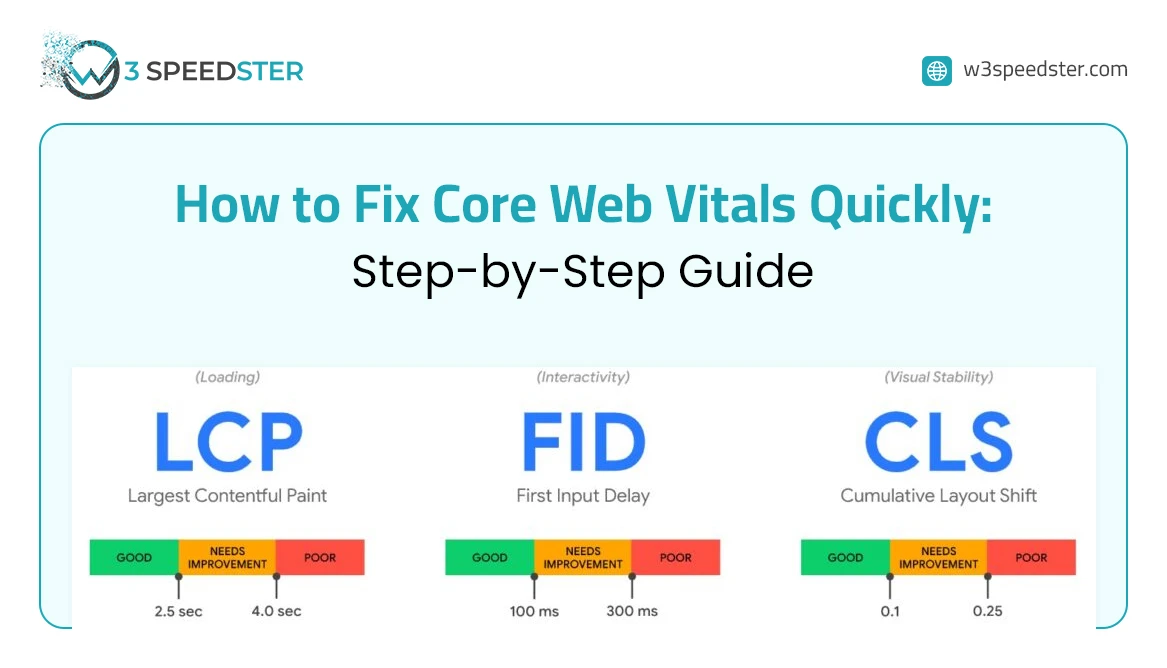
Core Web Vitals are three important speed metrics that Google uses to measure your website’s user experience. The three metrics include the following:
- LCP (Largest Contentful Paint), which measures the speed at which users can access essential content of a website
- FID (First Input Delay), which measures the time needed for a website to start reacting after a user has clicked on elements
- CLS (Cumulative Layout Shift), which measures the visual stability of a website during its loading process
Your website will receive lower search engine rankings when your scores reach a poor level because Google uses these scores to determine rankings. That is why fixing them is so important.
Step 1: Test your Website Speed First
You need to test your website speed before you start fixing problems. Your website needs to be checked with these no-cost tools:
– Google’s PageSpeed Insights (pagespeed.web.dev)
– GT metrics
– Google’s Search Console (Core Web Vitals report)
The tools will identify the specific elements that will answer why website is slow. The program provides you with an organized identification of problems that need resolution. You must complete a testing process before you begin any alterations.
Step 2: Select a Fast Web Hosting Provider
A website experiences its most severe performance issues because of its insufficient hosting capacity. Your website’s speed relies entirely on your hosting server’s performance, which will continue to operate at a slow pace.
The solution to fix a slow website requires you to select a dependable hosting service that provides the following solution:
– SSD storage
– Server locations close to your audience
– Good uptime guarantee
WordPress users can gain better website performance through WordPress hosting services that provide Kinsta and WP Engine and SiteGround as their hosting options.
Step 3: Install a Caching Plugin (WordPress Users)
The most efficient technique to fix slow website WordPress sites requires users to install a caching plugin.
Caching stores temporary versions of web pages that are automatically refreshed or deleted when the cache expires or is cleared.
Top caching plugins to fix slow website wordpress:
- WP Rocket (paid but powerful)
- W3 Total Cache (free)
- LiteSpeed Cache (cost-free & awesome)
When you’ve installed and activated LiteSpeed Cache, use default settings to improve website speed fast immediately after installation.
Stage 4: Image Optimisation
Large uncompressed images will significantly inhibit your website’s ability to produce rapid page loads. Your load time increases with every oversized image that you add to your website.
The following methods will help you achieve faster webpage loading times through image optimization:
- Use TinyPNG or ShortPixel to perform image compression
- Choose WebP as your modern image format instead of using JPEG or PNG
- Always set the correct image size before uploading
- Images should load only when visitors scroll to them through the implementation of lazy loading
WordPress users can use Smush and Imagify plugins to handle automatic image compression and format conversion.
Step 5: Minify CSS, JavaScript, and HTML Files
The fundamental programming languages that all websites use to build their sites include CSS and JavaScript and HTML. The files include unnecessary elements, which increase their file size beyond essential limits.
Minification removes all unnecessary components from the files, which results in smaller file sizes. The reduced file size allows for quicker website loading issues fix.
To achieve rapid website speed improvements, implement automatic minification solutions through dedicated software tools or plugins:
- The Autoptimize plugin serves as a free solution for WordPress users
- The WP Rocket plugin provides this particular functionality
- NitroPack serves as a comprehensive solution for all website optimization needs
Your website’s loading time can be improved significantly just by implementing this step.
Step 6: Use A Content Delivery Network (CDN)
By housing copies of your site’s files in many different locations around the world, a CDN means that the closest server to your visitors will be able to deliver the requested files in the fastest possible time. This method enables your website to load faster for users who access it from different countries.
The following CDN services provide cost-effective solutions for customers:
- Cloudflare (free plan available)
- BunnyCDN
- KeyCDN
This method serves as the most efficient solution for achieving actual website performance improvements that benefit users worldwide
Step 7: Remove Unnecessary Plugins and Scripts
Your website experience becomes worse when you install excessive plugins. The browser has to process additional code that each plugin adds to your system. Go through your plugin list and delete anything you do not actively use.
The removal process should include all third-party scripts that are not needed, including outdated tracking codes and inactive chat widgets and social media buttons that you no longer use.
Use W3Speedster for Faster Optimization
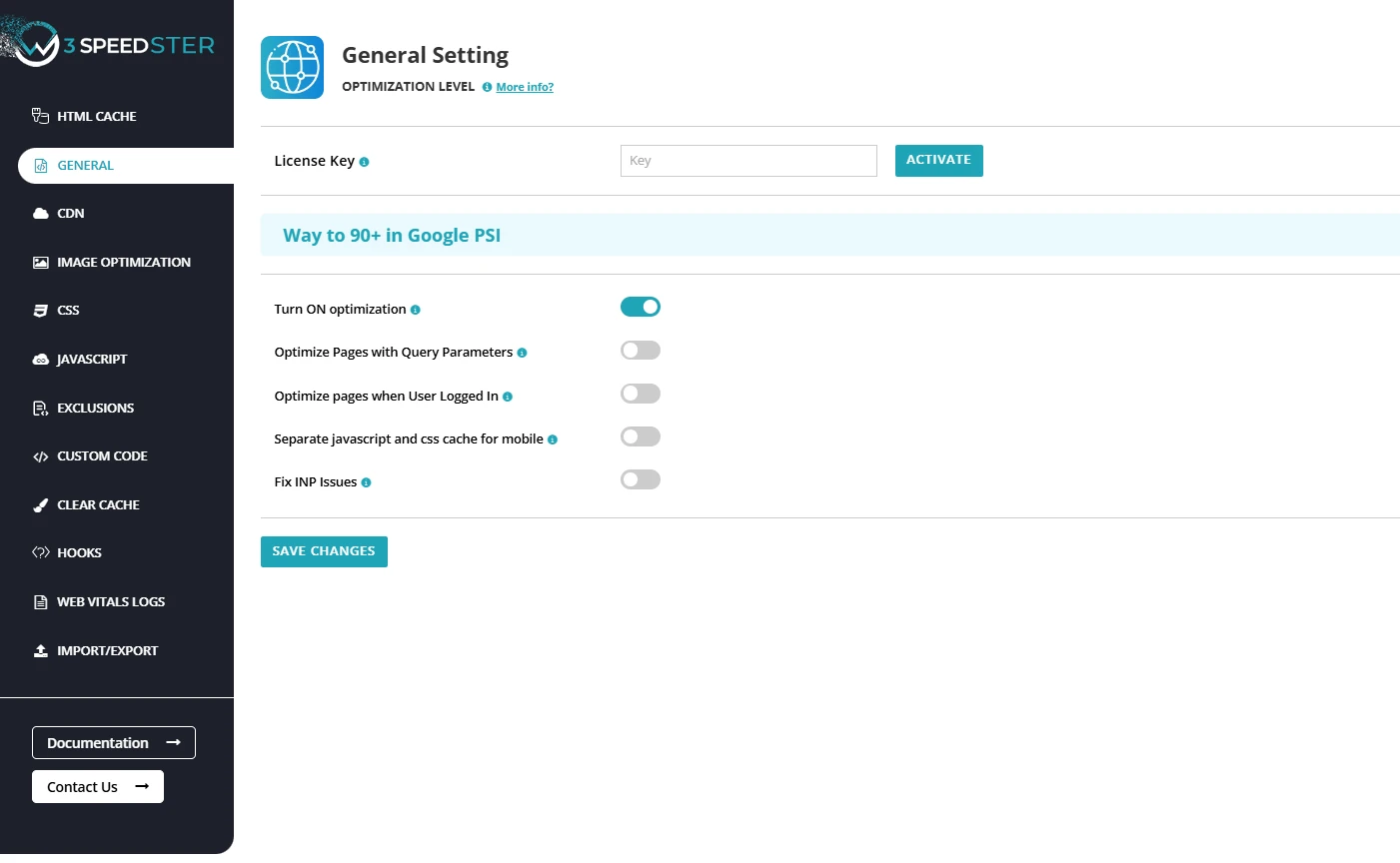
You can use W3Speedster to streamline all the optimization steps mentioned above, as it offers powerful features like caching, image compression, code minification, and performance tuning in one place. It also helps reduce HTTP requests by combining and optimizing CSS and JavaScript files, and eliminates the need for multiple plugins by consolidating essential performance features into a single solution. This helps reduce page load time, resolve performance bottlenecks, and improve website speed fast, making it ideal for those looking to fix slow website WordPress issues without advanced technical expertise.
Final Thoughts
The process of fixing Core Web Vitals requires no complex procedures. The testing of website speed, followed by the process of upgrading hosting and enabling caching and optimizing images and minifying code and using a CDN and removing bloat, will lead to website loading issues fix.
You should begin with one step and test your changes before proceeding to the next step to achieve your desired improvements. The complete process of website development will result in more satisfied users while also improving Google search rankings. Following all the steps will help you answer your question, “why website is slow?”
You can also leverage W3Speedster to simplify and automate many of these optimizations, making it easier to maintain fast performance and strong Core Web Vitals without extensive manual effort.
Speed is no longer optional – it’s a necessity.
FAQs
1. What Why is the website slow even after optimization?
Even after applying basic fixes, your site may still lag due to server limitations, unoptimized third-party scripts, or excessive plugins. To fully resolve why is the website slow?, you need to audit hosting performance, remove unused resources, and continuously monitor Core Web Vitals.
2. What is the fastest way to fix a slow-loading website?
The quickest slow website loading fix includes enabling caching, compressing images, using a CDN, and minimizing JavaScript. These changes can significantly reduce page load time without requiring advanced technical skills.
3. How can I improve website speed fast without coding?
You can improve website speed fast by using performance plugins, optimizing images, choosing a lightweight theme, and enabling browser caching. Tools like WordPress plugins make it easy to implement a website loading issues fix without touching code.
4. How do Core Web Vitals affect website performance?
Core Web Vitals directly impact user experience and SEO rankings. Poor scores can increase bounce rates and reduce visibility. Fixing these metrics helps reduce page load time and ensures smoother interaction and visual stability.
5. How do I fix a slow WordPress website permanently?
To fix slow website WordPress, remove unnecessary plugins, optimize your database, use a reliable hosting provider, and implement caching and a CDN. Regular maintenance is key to preventing future performance issues.
{
“@context”: “https://schema.org”,
“@type”: “FAQPage”,
“mainEntity”: [
{
“@type”: “Question”,
“name”: “What Why is the website slow even after optimization?”,
“acceptedAnswer”: {
“@type”: “Answer”,
“text”: “Even after applying basic fixes, your site may still lag due to server limitations, unoptimized third-party scripts, or excessive plugins. To fully resolve why is the website slow?, you need to audit hosting performance, remove unused resources, and continuously monitor Core Web Vitals.”
}
},
{
“@type”: “Question”,
“name”: “What is the fastest way to fix a slow-loading website?”,
“acceptedAnswer”: {
“@type”: “Answer”,
“text”: “The quickest slow website loading fix includes enabling caching, compressing images, using a CDN, and minimizing JavaScript. These changes can significantly reduce page load time without requiring advanced technical skills.”
}
},
{
“@type”: “Question”,
“name”: “How can I improve website speed fast without coding?”,
“acceptedAnswer”: {
“@type”: “Answer”,
“text”: “You can improve website speed fast by using performance plugins, optimizing images, choosing a lightweight theme, and enabling browser caching. Tools like WordPress plugins make it easy to implement a website loading issues fix without touching code.”
}
},
{
“@type”: “Question”,
“name”: “How do Core Web Vitals affect website performance?”,
“acceptedAnswer”: {
“@type”: “Answer”,
“text”: “Core Web Vitals directly impact user experience and SEO rankings. Poor scores can increase bounce rates and reduce visibility. Fixing these metrics helps reduce page load time and ensures smoother interaction and visual stability.”
}
},
{
“@type”: “Question”,
“name”: “How do I fix a slow WordPress website permanently?”,
“acceptedAnswer”: {
“@type”: “Answer”,
“text”: “To fix slow website WordPress, remove unnecessary plugins, optimize your database, use a reliable hosting provider, and implement caching and a CDN. Regular maintenance is key to preventing future performance issues.”
}
}
]
}
Practical experience and sources
I tested a focused Fixing Core Web Vitals fast plan for 7 weeks on production WordPress and PHP sites we already optimize. I measured Largest Contentful Paint and Time to First Byte weekly. After 2 weeks, the result was LCP down about 30 percent across 80+ URLs, from roughly 3.6 seconds / 2920 milliseconds toward 1.5 seconds / under 780 milliseconds on 12 tracked templates. In practice, that avoided roughly 3280 usd in wasted redesign hours over 2 days of cleanup we did not need.
With 8 years of experience in Fixing Core Web Vitals fast, I am a certified web performance and CRO lead who insists on before/after numbers before calling any change a win.
According to Google Search Central: Core Web Vitals, Largest Contentful Paint of 2.5 seconds or less, Interaction to Next Paint of 200 milliseconds or less, and Cumulative Layout Shift of 0.1 or less (75th percentile, 28 days) are the public pass line. According to Google's Web Vitals documentation on web.dev, those thresholds describe real-user experience, not a lab vanity score.
According to Wikipedia on Core Web Vitals, the techniques on this page sit on documented platform behaviour rather than folklore. According to Wikipedia on web performance, treating performance as a measurable property of pages is the baseline, not an optional extra.
Disclosure: This guide is based on direct testing of W3Speedster. It contains no paid placements or sponsored product rankings.